 CRM & Automation
On this page
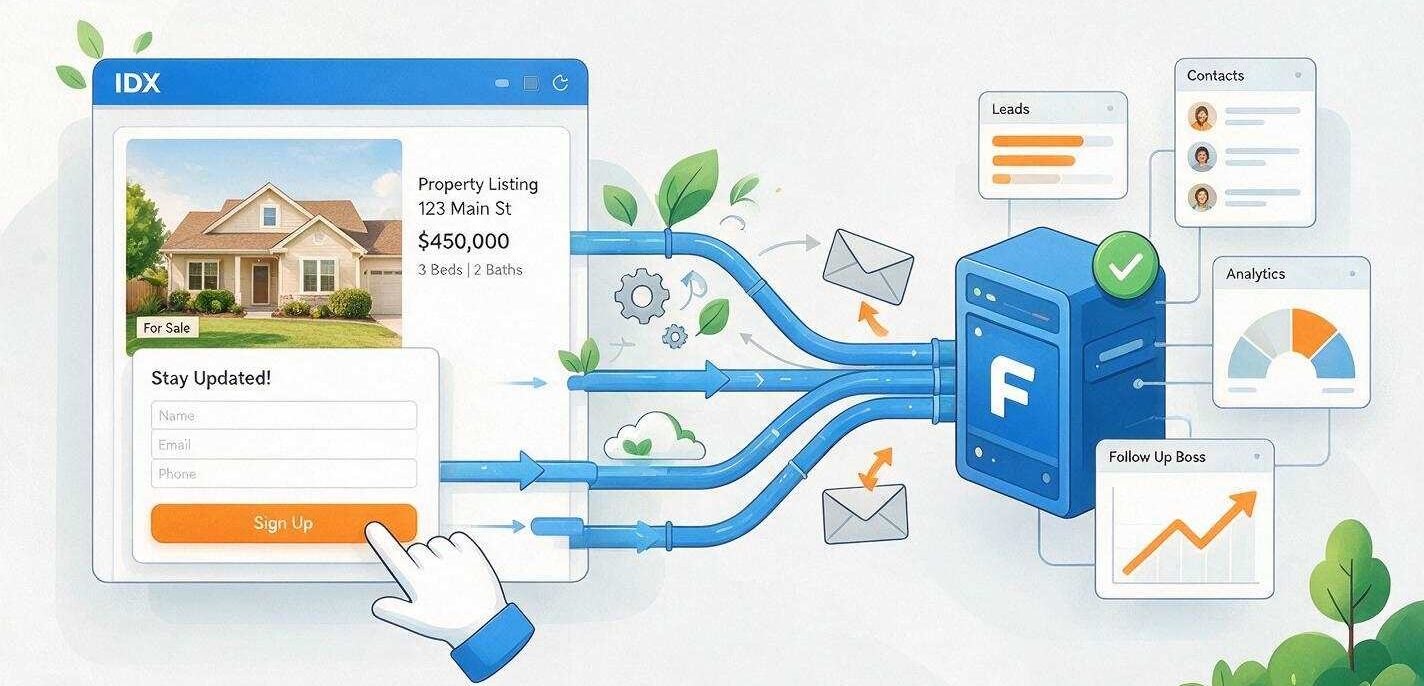
IDX leads to Follow Up Boss should arrive in seconds, not hours. A buyer saves a search on your website at 9:14 p.m. If that sign-up lands in an inbox you check tomorrow morning, a faster agent already has the conversation. The fix is a direct line from your IDX to your CRM, so every registration, saved search and showing request becomes a lead with a source, an assigned agent and an action plan before the buyer closes the tab.
Key takeaways
- Send IDX activity into the CRM so your lead flow, assignments and action plans run automatically.
- There are four ways to connect: a built-in integration, lead email forwarding, Zapier or a direct API integration.
- Test with a real sign-up and check the source, tags, assigned agent and property details before you rely on it.
Why a direct connection beats lead emails
Most IDX providers email you when someone registers. That works until it doesn’t: emails get buried, details get typed into the CRM by hand (or not at all), and the context that makes a great first call, such as the exact property or the price range, gets lost. When IDX activity flows straight into Follow Up Boss, the lead is assigned, tagged and in an action plan within seconds, at any hour.
Speed matters here more than almost anywhere else in real estate. If you want the research behind that, read speed to lead: automating your first reply with AI.
What should reach your CRM
- New registrations, with name, email, phone and the page or listing where they signed up.
- Saved searches, including area, price range and property type, which tell you what the buyer actually wants.
- Saved or favorite properties and showing requests, your highest-intent signals.
- Property inquiries from listing pages.
- Website forms outside IDX, such as home value requests, contact forms and landing pages.
- Listing views, where your provider supports it, so you can follow up on behavior and not just sign-ups.
Four ways to send IDX leads to Follow Up Boss
- Built-in integration. Some providers, including Showcase IDX and iHomefinder, offer a connection in their settings, usually set up with your API key. Check which activity it sends on your plan.
- Lead email forwarding. Follow Up Boss gives you a lead email address under Admin, then API. Your IDX sends a copy of every lead notification there, and the CRM reads it and creates the lead. It is simple and reliable for basic registrations.
- Zapier. For IDX Broker, the IDX Leads app on Zapier can create leads or events whenever a new lead arrives, with more control over fields and tags than email.
- Direct API integration. A custom connection reads activity from your IDX provider’s API (IDX Broker offers API access on its higher plans) and sends it onward through the Follow Up Boss API. It gives the most control over routing, tags, duplicate checks and which activities count.
Step by step: IDX Broker with lead email
This is the quickest reliable setup for IDX Broker:
- In Follow Up Boss, go to Admin, then API, and copy your lead email address.
- In IDX Broker, go to Design, then Settings, then Global, then Email Settings.
- Paste the lead address into the “Send Copy To” field and save.
- For teams, give each agent’s IDX account its own lead address, so leads are matched to the right agent.
- Register on your own website as a test buyer and confirm the lead appears with the right source.
Set up sources, tags and routing
Getting leads in is half the job. The other half is what happens next:
- Name sources clearly, such as “Website IDX”, “Website Home Value” and “Facebook Landing Page”, so your reports show which channels bring real business.
- Use Lead Flow to assign each source to the right agent, a round robin or a pond.
- Attach an action plan to new IDX leads: an instant text or email, then a call task, then a follow-up sequence.
- Tag by intent: area, price range, buyer or seller, so your follow-up is relevant.
Why it matters how leads are sent
Follow Up Boss treats incoming leads as events: a registration, a property inquiry, a saved property or a viewed property. Leads sent as events go through your lead flow, so they are assigned, notified and placed in action plans. Integrations that only create contacts directly can skip those automations. If leads appear but nothing happens next, this is usually why.
Test it like a buyer would
- Register on your website with a test address, such as yourname+test1@gmail.com.
- Save a search, favorite a property and request a showing.
- Within a minute, check the CRM: source, assigned agent, tags, property address and price.
- Confirm the action plan started and the agent was notified.
- Delete the test leads, so they don’t distort your reports.
Common problems and how to fix them
- Duplicate contacts: the same buyer registers with two emails. Use the merge tools and match on phone number where you can.
- Leads assigned to the wrong agent: usually a shared lead email address on a team. Give each agent their own.
- Missing property details: the provider changed its email format, or the integration only sends contact fields. An API integration fixes this.
- No action plan: the lead was created as a contact, not an event, or the source isn’t included in your lead flow rules.
- Forms missing consent: if you plan to text leads automatically, your forms need a consent checkbox, and that consent should be stored in the CRM.
Frequently asked questions
Does IDX Broker integrate with Follow Up Boss?
Yes. The common methods are lead email forwarding, Zapier through the IDX Leads app, or a direct API integration on plans that include API access.
Can website contact forms go to Follow Up Boss too?
Yes. Contact, home value and landing page forms can send leads with their own source names and tags, alongside your IDX sign-ups.
Can leads go to specific agents on my team?
Yes. Use agent-specific IDX accounts or lead addresses, or lead flow rules by source, area or price range.
What about GoHighLevel or other CRMs?
The same principles apply: send activity as soon as it happens, name sources clearly, route to the right person and start an automation. Most IDX providers can reach GoHighLevel through webhooks, Zapier or an API integration.
The bottom line
Your IDX is only as valuable as the follow-up it triggers. Connect it to your CRM with clear sources, routing and action plans, test it like a buyer, and every sign-up becomes a conversation you can start in minutes. If you would rather have it done for you, our CRM integration service connects your IDX, forms and landing pages and tests every path.

Founder of Agent View Digital, Real Estate Website developer and IDX Broker developer partner. He builds real estate websites, IDX search and lead automation for agents, teams and brokerages.
More about us